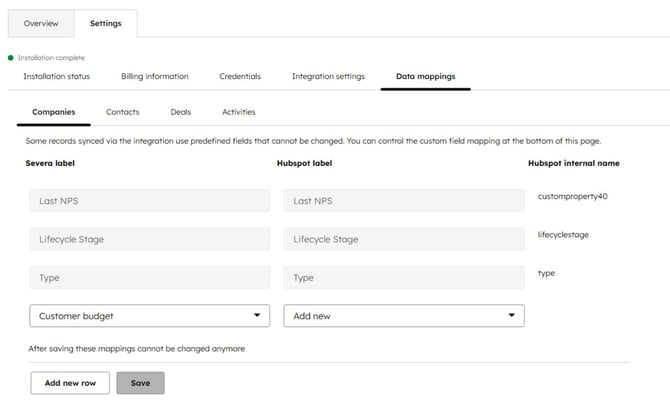
Starting March 23 2026, the HubSpot–Severa integration settings and field mappings will be available directly within the HubSpot user interface.
The settings can be found under Integrations > Connected apps > Severa.
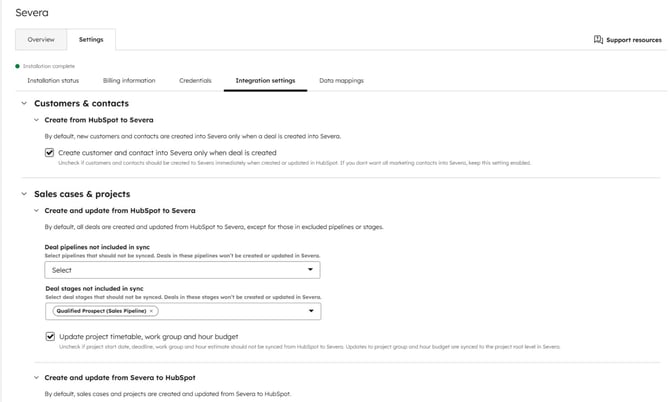
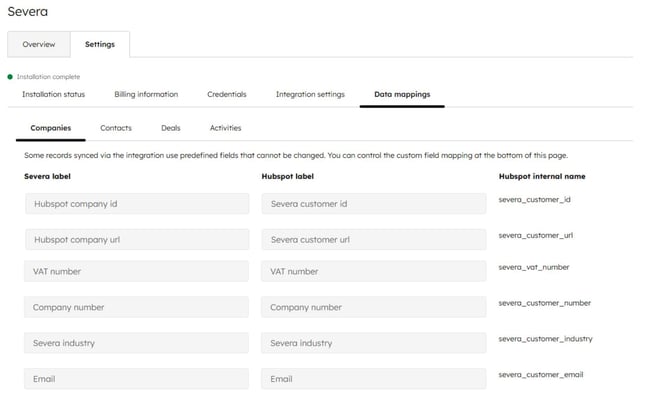
You can view and modify billing contact details, integration settings and field mappings.
When you create new market segments or custom fields in Severa in the future, you can enable them for the integration use. There's no need to create a new field in HubSpot separately; the mapping menu allows you to create a new field directly by selecting “Create new” from the HubSpot dropdown. The integration also automatically detects the field type in Severa and creates a corresponding field of the same type in HubSpot.
Once fields have been mapped to each other, the mapping can no longer be changed.
Integration settings
Integration data mappings
Adding new field mapping