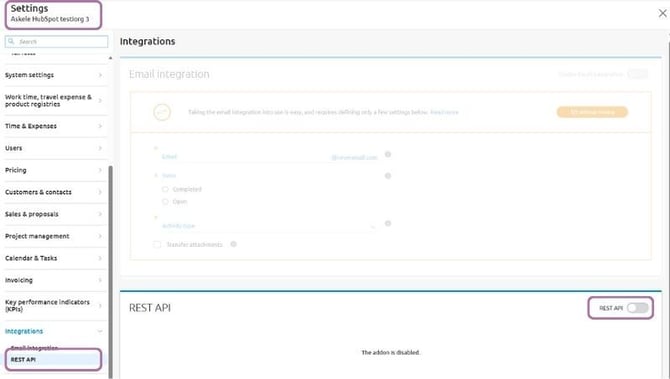
Log in to Severa with administrator credentials, open settings from the top right corner, and go to the REST API section:
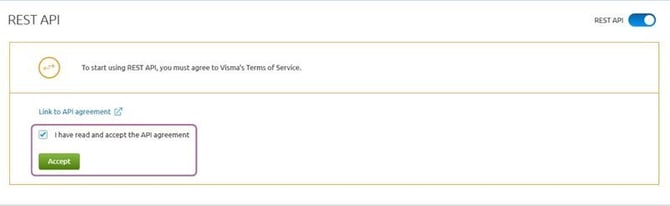
Approve API agreement if necessary:
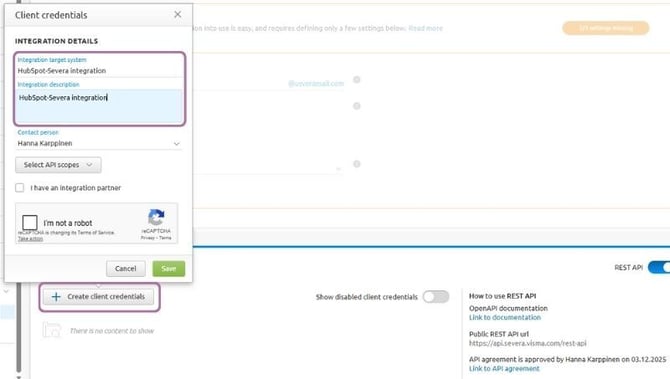
Create API credentials.
Integration name: HubSpot-Severa integration
Description: HubSpot-Severa integration
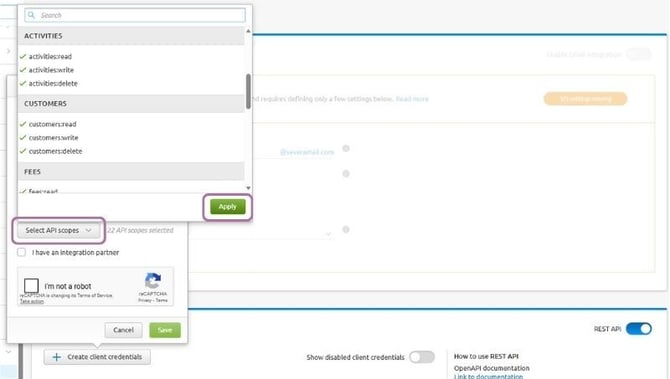
Select scopes. Note! All the permissions listed below must be granted to the credentials for the integration to work.
- activities:read, activities:write,
- settings:read, settings:write, settings:delete,
- customers:read, customers:write, customers:delete,
- users:read,
- invoices:read,
- fees:write,
- organization:read,
- projects:read, projects:write, projects:delete,
- resourceallocations:read, resourceallocations:write, resourceallocations:delete
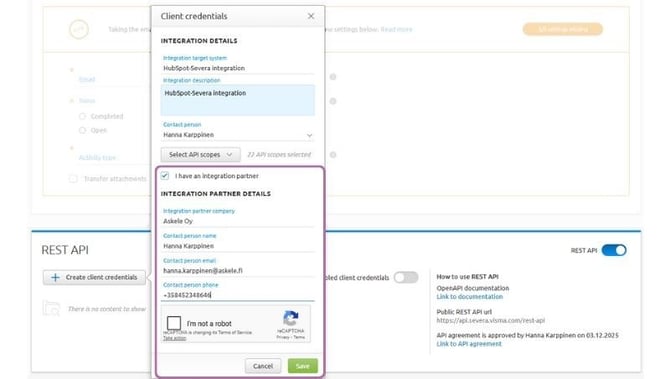
Enter the integrator's information:
Company: Askele Oy
Contact person: Hanna Karppinen, hanna.karppinen@askele.fi and +358452348646
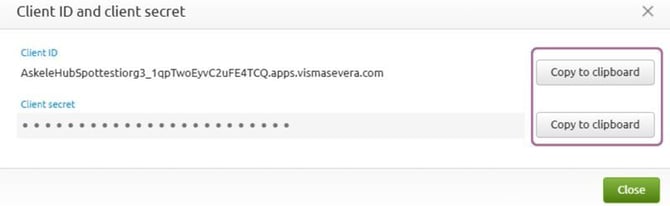
Copy the client ID and secret and save them in HubSpot settings