We've made resourcing more transparent and easier to manage. At the same time, we've added the option to resource projects by role, not just by person.
Important! Resourcing is no longer created automatically once the start date, deadline, team members, and effort estimate have been entered in HubSpot. Watch the video showing how resourcing now works, or read the summary below it.
Quick summary of what changed
- Resourcing is no longer created automatically by splitting the effort estimate evenly across the team.
- Resourcing is now created in a controlled way: you enter the desired number of hours by role or by person and assign it to the project's or phase's timeline, or to a custom date range of your choosing.
- Updating a resourcing plan no longer deletes all allocations in Severa.
- Resourcing is now updated in a controlled way, one allocation at a time: you edit the hours entered for a role or user, or remove a single allocation.
- Resourcing is fetched from and updated to Severa instantly, so the view is always up to date.
Where resourcing is now done
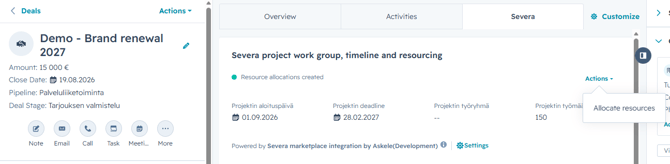
Resourcing is now handled from the "Project work group, timeline, and resourcing" card in the deal's middle column.
If this card isn't visible in the deal's middle-column view, an admin needs to add it first:
- Open any deal and click Customize in the top-right corner of the middle column.
- Open the view for editing.
- Select the middle-column section where you want to add the resourcing card, and click the plus icon (Add card).
- Open the Card library and search for "Severa".
- Select the card named "Severa project work group, timeline and resourcing".
- Save your changes.
To open the resourcing view, click Actions > Allocate resources in the top-right corner of the card.
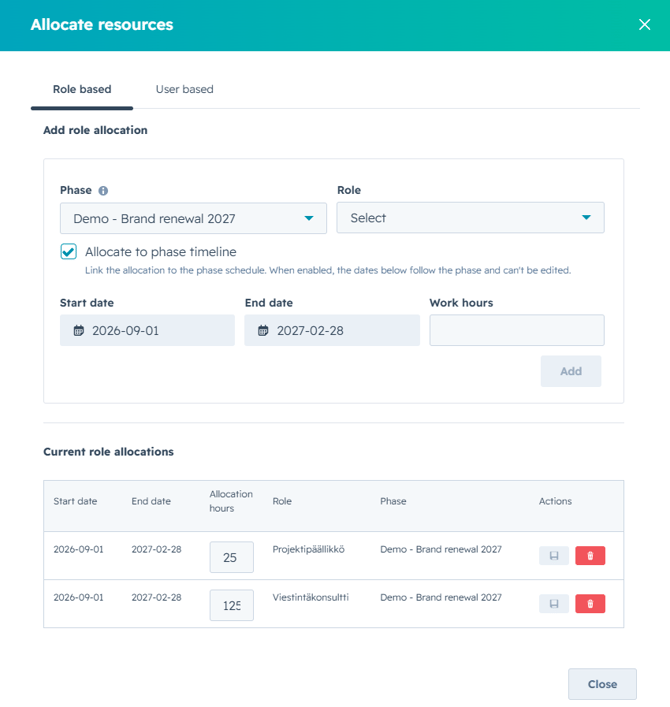
From the window that opens, you can create resourcing both by role and by user, as well as edit and delete existing allocations. Data is fetched from Severa the moment the view opens, so you're always looking at up-to-date information.
Check your resourcing settings
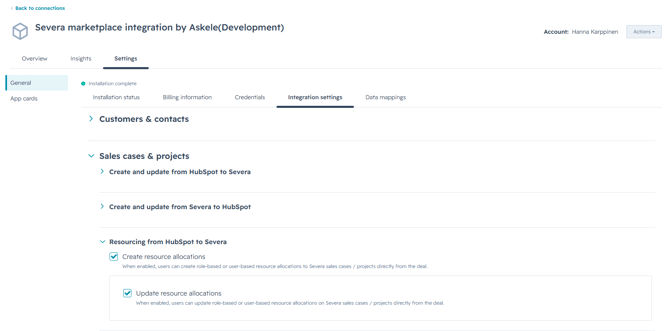
Make sure the integration settings allow resourcing to be created — and, if needed, updated.